
64c8025f0ae1dcbc195f08d7_clipbuddy-io-logopng

ClipBuddy

Features

About the Tool

ClipBuddy is a versatile video editing software designed to streamline the editing process for content creators, marketers, and media professionals. With its user-friendly interface and robust set of features, ClipBuddy enables users to create professional-grade videos with minimal effort, making it an invaluable tool for anyone looking to enhance their video production capabilities.

Key Features

  • Intuitive Timeline Editing

    ClipBuddy features an easy-to-use timeline editor that allows users to drag and drop clips, apply transitions, and arrange audio effortlessly. This intuitive design ensures a smoother editing experience, even for beginners.

  • Advanced Audio Management

    The software provides comprehensive audio editing tools, including noise reduction, audio leveling, and synchronization features. Whether you are a novice or an audiophile, ClipBuddy makes it easy to edit and polish your audio tracks.

  • High-Quality Export Options

    Users can export their projects in a variety of formats, supporting resolutions up to 4K. ClipBuddy’s advanced rendering engine ensures fast and high-quality exports to meet professional standards.

  • AI-Powered Video Enhancements

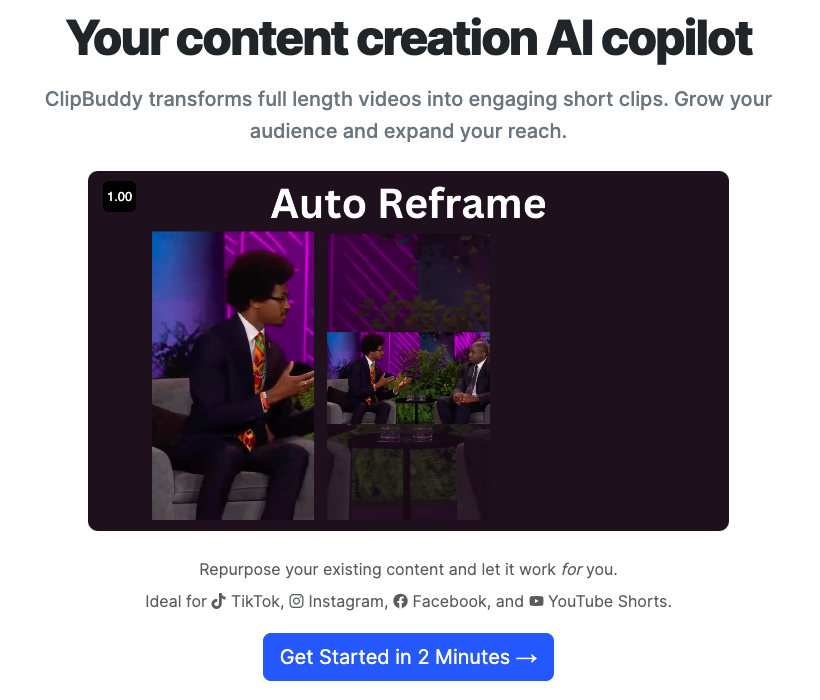
    Utilize AI technology to automatically enhance the visual quality of your videos. This includes options for color correction, motion stabilization, and auto-framing, significantly reducing post-production time.

  • Collaboration Tools

    ClipBuddy’s built-in collaboration features allow multiple users to work on the same project seamlessly. Users can share timelines, leave comments, and track changes, making it ideal for team projects.

  • Extensive Effects Library

    With an extensive library of effects, filters, and transitions, ClipBuddy provides creative tools to make your videos stand out. The library is regularly updated to include the latest trends and technologies.

  • Cross-Platform Compatibility

    Edit your videos on the go with ClipBuddy’s cross-platform compatibility. Available on Windows, Mac, and mobile devices, this tool ensures your projects are always within reach, no matter where you are.

Use Cases

ClipBuddy serves a variety of industries and use cases:

  • Content Creators and YouTubers looking for efficient ways to edit and enhance their video content.
  • Marketing Professionals aiming to produce engaging promotional videos easily.
  • Education Sector for creating educational and tutorial videos with professional touch.
  • Media and Entertainment Companies requiring a reliable tool to produce high-quality visual content.
  • Business Presentations for making impactful visual aids that communicate ideas effectively.

Pricing

ClipBuddy offers flexible subscription plans tailored to your needs. To learn more, please View pricing.

Tool Analysis

Pros

  • User-friendly interface for both professionals and beginners.
  • Robust set of editing tools and features.
  • Excellent customer support with comprehensive tutorials and guides.
  • Frequent updates and new feature releases.
  • Affordable pricing tiers with flexible billing options.

Cons

  • Limited free version capabilities.
  • Advanced features may require a learning curve for new users.
  • Occasional compatibility issues with certain file formats.

FAQs

  • Is ClipBuddy suitable for beginners?

    Yes, ClipBuddy is designed to be user-friendly, with numerous tutorials and support resources available to help beginners get started.

  • Can I collaborate on projects with ClipBuddy?

    Absolutely. ClipBuddy offers collaboration features that allow multiple users to work on the same project efficiently.

  • Does ClipBuddy support 4K video exports?

    Yes, ClipBuddy supports exporting videos in resolutions up to 4K, ensuring high-quality outputs.

  • Is there a mobile version of ClipBuddy?

    Yes, ClipBuddy is available on mobile platforms, allowing you to edit your projects on the go.

  • What kind of support does ClipBuddy offer?

    ClipBuddy provides excellent customer support through email, chat, and detailed online tutorials.

There are no reviews yet.

Leave a Review

Your email address will not be published. Required fields are marked *

Related listing