
InPixio

InPixiopng

InPixio

Features

About the Tool

InPixio is a powerful photo editing and optimization tool designed to cater to both amateur photographers and seasoned professionals. With its user-friendly interface and comprehensive suite of features, InPixio empowers users to enhance, transform, and share their images with ease. Leveraging advanced technology, it delivers high-quality results that meet various creative needs.

Key Features

  • Background Removal

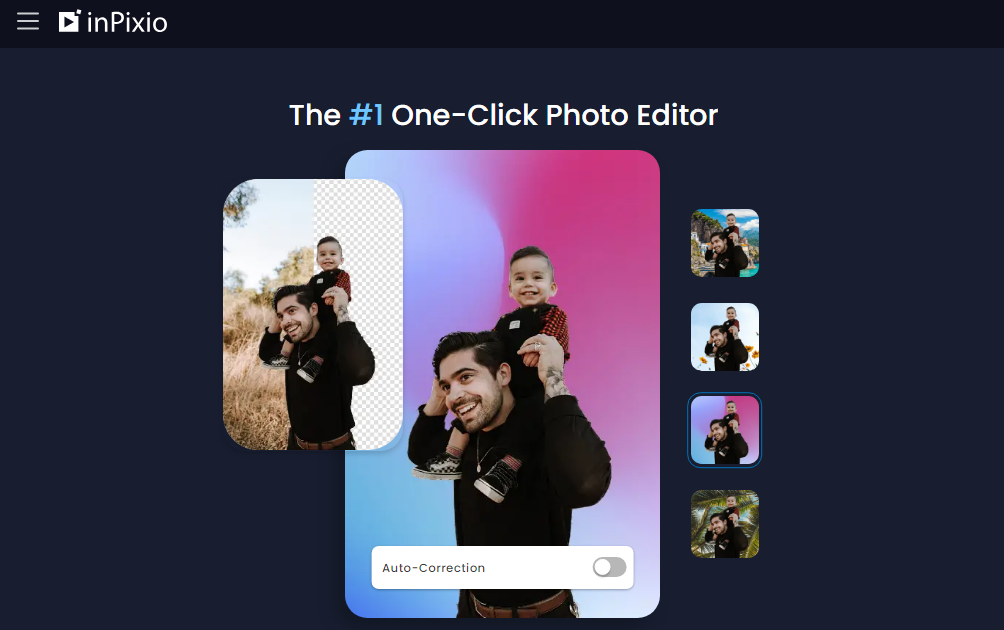
    InPixio simplifies the process of removing and replacing backgrounds in your photos. Using its AI-driven tools, users can easily isolate subjects and erase distracting backgrounds, providing seamless results for any project.

  • Photo Correction

    This feature allows users to quickly correct common issues such as poor exposure, blurriness, or colors that don’t pop. The one-click auto-correction feature makes enhancement accessible, even for those new to photo editing.

  • Creative Effects

    Add flair to your images with a range of creative effects, filters, and textures. InPixio offers a library of effects that can be applied with just a click, allowing users to significantly alter the mood and style of their photos.

  • Retouching Tools

    Retouch your photos with precision using InPixio’s retouching tools. Remove blemishes, wrinkles, and unwanted objects, leaving your images polished and professional-looking.

  • Perspective Tool

    This feature helps rectify perspective issues by straightening and aligning lines that appear skewed. It is particularly useful for architectural photography, ensuring that buildings and horizons are presented accurately.

  • Photo Montage

    Create stunning photo montages with InPixio’s intuitive interface that allows you to integrate multiple photos seamlessly into a single image, ideal for collages and sharing on social media platforms.

Use Cases

InPixio is versatile enough for a broad range of industries and roles, including:

  • Photography enthusiasts looking to enhance their hobby with professional tools
  • Graphic designers seeking easy-to-use photo editing options for client projects
  • Social media influencers who need to quickly and effectively enhance images before posting
  • Real estate agents aiming to improve property images for listings
  • Marketing professionals creating visual content for campaigns

Pricing

InPixio offers a variety of pricing plans to suit different needs and budgets. For detailed pricing information, please view pricing.

Tool Analysis

Pros

  • Easy-to-use interface suitable for beginners
  • Wide range of features that cover most editing needs
  • Fast processing and high-quality output
  • Affordable subscription plans
  • Advanced AI tools that simplify complex edits

Cons

  • Some advanced features may have a learning curve
  • Occasional updates can impact system performance
  • Lacks some specialized professional-grade editing tools

FAQs

  • Can I use InPixio offline?

    Yes, once downloaded, InPixio can be used offline. An internet connection is required for updates and some cloud-based features.

  • Is there a free version of InPixio available?

    InPixio offers a free trial version with limited features, allowing users to explore and test its capabilities before subscribing to a paid plan.

  • What file formats does InPixio support?

    InPixio supports a wide range of file formats including JPEG, PNG, BMP, and TIFF, ensuring compatibility with most cameras and devices.

  • Does InPixio provide customer support?

    Yes, InPixio offers customer support through various channels, including online resources, email support, and a comprehensive help center.

  • Can InPixio handle RAW image files?

    Yes, InPixio can import and edit RAW files, which is particularly beneficial for professional photographers looking to maintain high image quality.

There are no reviews yet.

Leave a Review

Your email address will not be published. Required fields are marked *

Related listing