Colossyan

colossyanpng

Colossyan

Features

About the Tool

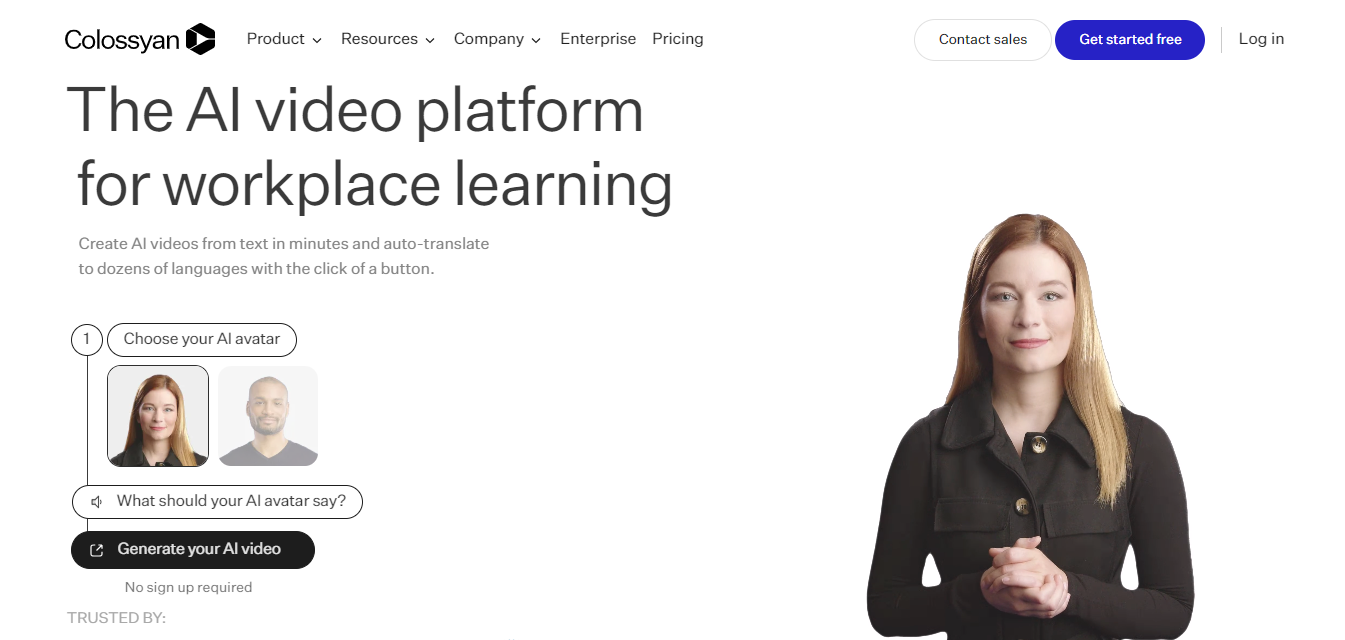
Colossyan is an AI-driven video creation platform that lets teams produce professional-looking videos quickly using synthetic presenters, text-to-video workflows, and cloud-based editing. It targets marketers, learning teams, HR, and agencies that need scalable video production without on-camera talent or complex editing setups. The platform supports multiple languages, script-to-video conversion, and collaborative review features to streamline content creation from draft to final export.

Key Features

  • AI Presenter Generation

    Create videos featuring realistic, fully synthetic on-screen presenters. Choose from a library of avatars or upload a custom presenter for consistent brand representation without scheduling live shoots.

  • Script-to-Video Conversion

    Turn written scripts into timed video scenes automatically. The editor maps text to speaker delivery and scene cuts, accelerating production of explainer videos, product messages, and training modules.

  • Multilingual & Voice Options

    Produce content in multiple languages with AI-driven voice synthesis and lip-sync. This simplifies localizing marketing or training materials for global teams without re-shooting.

  • Cloud-Based Editor & Collaboration

    Edit video timelines, make text changes, add visuals, and invite reviewers directly in the browser. Versioning and comment threads help teams iterate faster and keep feedback organized.

  • Branding & Customization

    Apply brand assets such as logos, colors, and lower thirds. Customize backgrounds, on-screen text, and transitions to match corporate style guidelines for consistent output.

  • Integrations & Export Options

    Export MP4s optimized for social, web, and LMS platforms or connect via API/SDKs to incorporate video creation into existing workflows and content management systems.

  • Fast Turnaround & Templates

    Leverage prebuilt templates for common formats—product demos, announcements, and training—to generate polished videos in minutes instead of days.

Use Cases

  • Marketing teams creating product teasers, social ads, and demo videos without hiring talent or a production crew.

  • Learning & development teams producing consistent training modules and onboarding videos at scale.

  • HR and internal comms teams delivering executive messages, policy updates, and town halls with branded synthetic presenters.

  • Agencies offering rapid video production services to multiple clients while controlling costs and turnaround time.

  • Small businesses and startups generating polished customer-facing content without in-house video specialists.

Pricing

See pricing page: View pricing

Tool Analysis

Pros

  • Greatly reduces time and cost of producing on-brand videos by eliminating live shoots.

  • Strong localization capabilities with multilingual voices and lip-sync.

  • Cloud-based collaboration simplifies review cycles for distributed teams.

  • Templates and automation make it accessible for non-editors to produce professional output.

Cons

  • Synthetic presenters can lack the nuance of real human delivery for highly emotional or complex messaging.

  • Advanced customization (e.g., bespoke animations or cinematic shots) may still require external editing tools.

  • Dependence on internet connection and cloud performance for large projects or teams in bandwidth-constrained environments.

FAQs

  • Can I upload my own presenter or voice assets?

    Yes. Colossyan supports uploading custom presenter footage or voice files for branding consistency, though specific formats and size limits may apply—check the platform documentation.

  • What export formats are available?

    Exports typically include MP4 optimized for web and social. Higher-resolution options and format settings depend on your plan and account limits.

  • Is there support for multiple languages and subtitles?

    Colossyan offers multilingual voice synthesis and subtitle options, which helps localize videos and provide accessibility-friendly outputs.

  • How does collaboration work for teams?

    Teams can share projects, leave time-stamped comments, and manage versions in the cloud editor to streamline feedback and approvals.

  • Does Colossyan provide an API for automation?

    Yes. There are API/SDK options to automate video generation and integrate the platform with content workflows; availability varies by plan.

There are no reviews yet.

Leave a Review

Your email address will not be published. Required fields are marked *

Related listing
