
Ssemble
Features
About the Tool
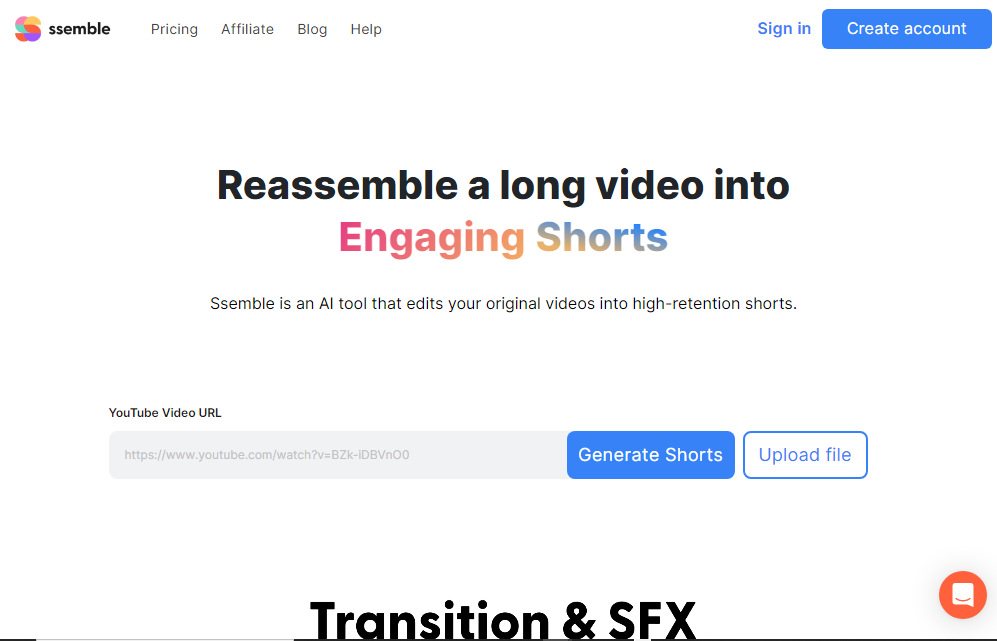
Ssemble is a powerful, user-friendly platform designed for video editing and collaborative content creation. It streamlines the editing process with intuitive tools and features, making it ideal for creators of all skill levels. Ssemble is cloud-based, ensuring easy access and real-time collaboration from any location.
Key Features
-
Intuitive Video Editing
Ssemble offers a streamlined editing interface that allows users to easily cut, trim, and splice video clips. Its drag-and-drop functionality simplifies the arrangement of video elements, making it ideal for beginners and professionals alike.
-
Collaborative Tools
With real-time collaboration capabilities, Ssemble enables teams to work together on projects simultaneously. This feature supports seamless communication and efficiency, providing comment and annotation tools to keep everyone on the same page.
-
Cloud-Based Storage
All projects are stored securely in the cloud, allowing users to access their work from anywhere with an internet connection. This feature ensures that work is never lost and can easily be shared with clients and team members.
-
Stock Integrations
Ssemble integrates with various stock libraries, providing a vast array of royalty-free music, videos, and images. These resources enhance the creative process by offering high-quality content that can be infused directly into a project.
-
Customizable Templates
The platform comes with a range of customizable templates that can be tailored to fit specific project needs. These templates help users start quickly and maintain a consistent style throughout their projects.
-
Automated Subtitles
Ssemble automatically generates subtitles and captions, enhancing accessibility and viewer engagement. This feature can recognize multiple languages and provides easy customization for text alignment and styling.
Use Cases
Ssemble is ideal for a wide range of roles and industries, including but not limited to:
- Freelance Videographers
- Marketing Teams
- Social Media Managers
- Educational Institutions
- Content Creators and Influencers
Pricing
Ssemble offers flexible pricing plans to accommodate different needs and budgets. For detailed pricing information, please View pricing.
Tool Analysis
Pros
- User-friendly interface
- Robust collaborative features
- Comprehensive stock media integrations
- Accessible cloud storage
- Automated subtitles
Cons
- Dependency on stable internet connection
- Limited advanced editing features
- Occasional issues with large file uploads
FAQs
-
What type of files can I upload to Ssemble?
Ssemble supports a wide range of video, audio, and image file formats including MP4, MOV, AVI, MP3, and JPEG.
-
Is there a limit to the number of projects I can create?
There is no limit on the number of projects you can create with Ssemble. However, storage may depend on your subscription plan.
-
Can Ssemble integrate with other video platforms?
Yes, Ssemble can integrate with various video platforms and social media networks to streamline distribution and sharing.
-
Does Ssemble offer customer support?
Yes, Ssemble provides customer support through email, live chat, and an extensive online help center with tutorials and articles.
-
Is it possible to revert edits if needed?
Ssemble allows users to revert changes, ensuring that you can experiment freely without the risk of permanently losing original content.
Review
Write a ReviewThere are no reviews yet.


